During a session
Once vacs is connected and your station is operational, the system supports your verbal coordination workflow with other controllers.
This page provides a short operational overview of the most important actions during a session.
Note, that most of the content on this page has already been mentioned before. This page serves as a summary.
Selecting a Call Source
At the beginning of a session, it is recommended to select a fixed call source (double click onto your relevant sector (active button with grey text), then turns dark orange) representing the sector from which you will primarily initiate calls.
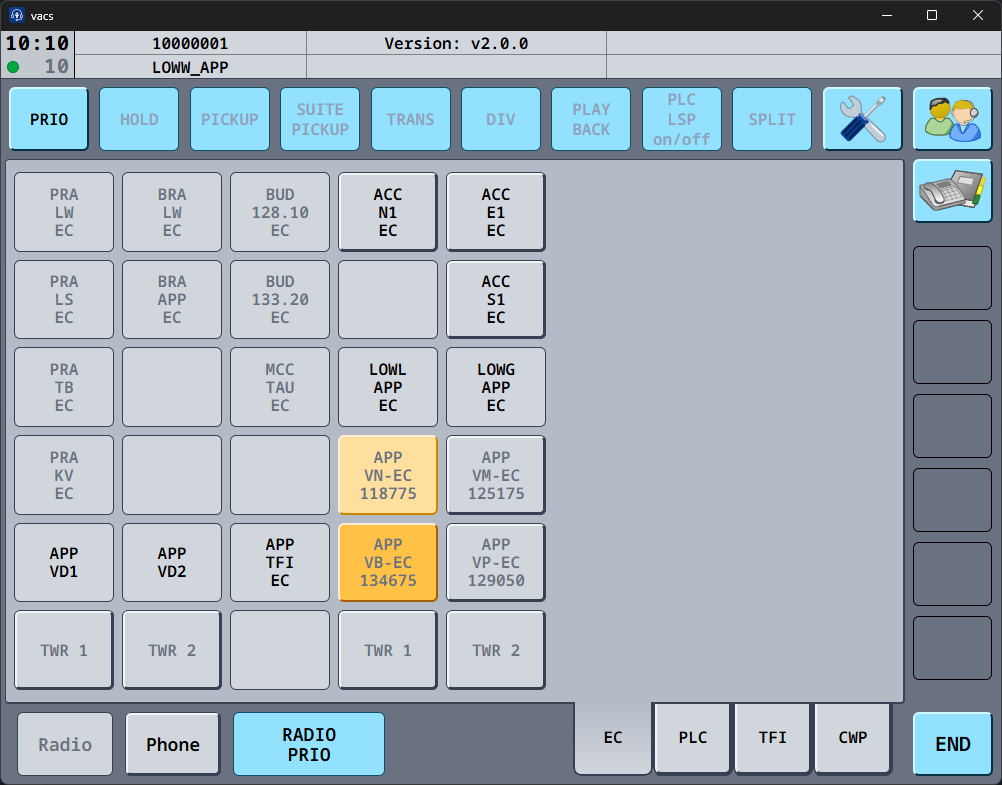
Setting a call source ensures that other controllers immediately recognize which sector is calling them.
If necessary, you can temporarily change the call source before placing an individual call. By doing so, you will set a temporary call source (single click onto your relevant sector (active button with grey text), then turns light orange).
If no call source is selected, vacs will use a default identifier for your station, which will be visible to the receiving controller.
Placing Calls
To initiate a coordination call:
- Ensure the correct call source (fixed or temporary) is selected.
- Click the Direct Access Key of the sector, which you want to call.
vacs will automatically route the call to the controller currently covering that sector.
If urgent coordination is required, you may activate the PRIO button before placing the call.
This marks the call as a priority call for the receiving controller.
For detailed information, see:
Making a Call
Receiving Calls
Incoming calls are indicated visually within the interface.
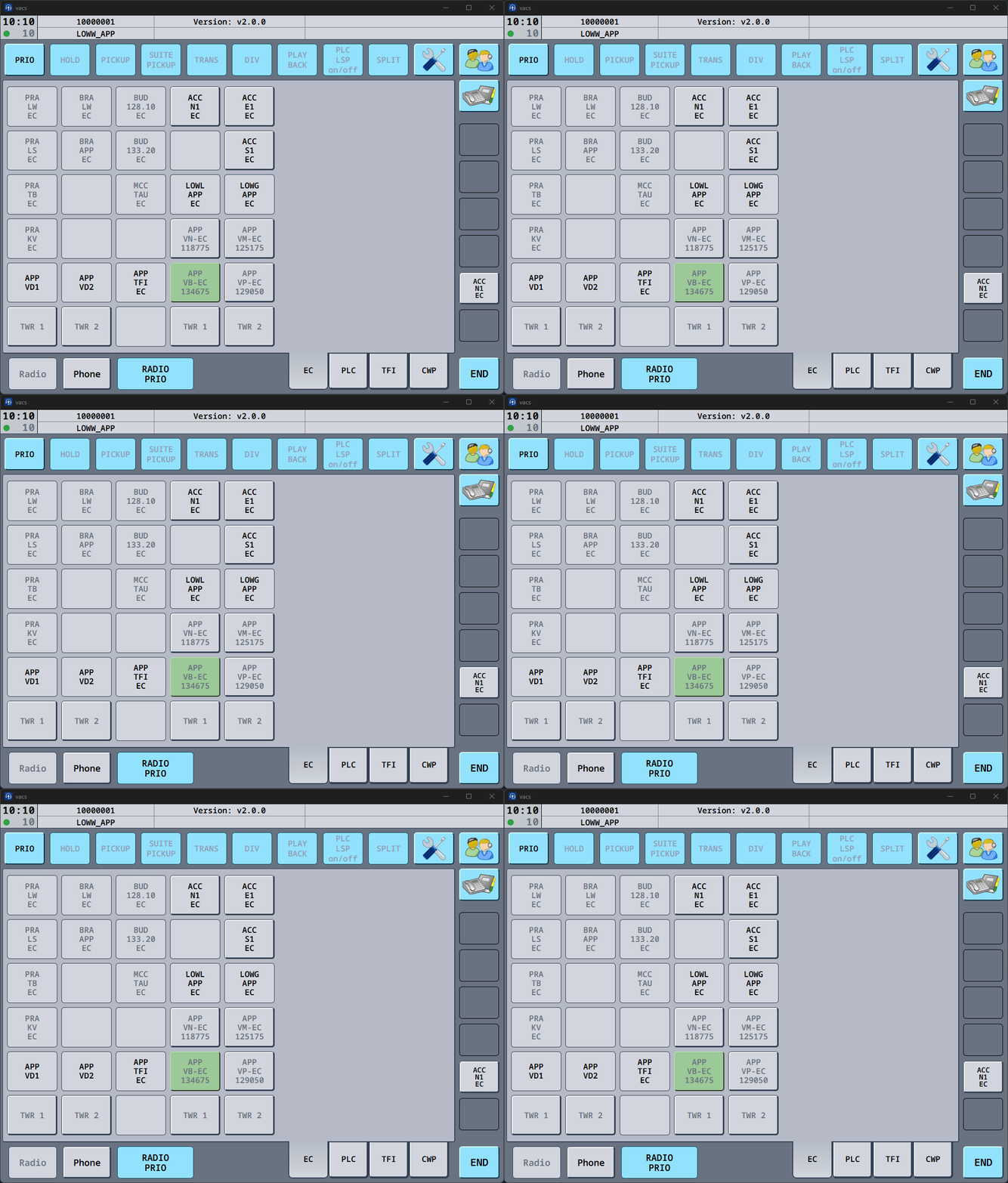
When another controller calls you:
- the relevant Direct Access Key will indicate the incoming call in color
- the Phone button will highlight
- an optional sound notification will play.
You can accept the incoming call by pressing the highlighted Direct Access Key of the caller.
For detailed behaviour and examples, see:
Receiving a Call
Speaking During a Call
How you transmit audio during coordination depends on your configured Transmit Mode.
Possible configurations include:
- Separate push-to-talk/mute keys for radio and phone.
- Shared transmission key (Radio Integration) for both communication channels.
- Voice Activation.
These settings are explained in:
RADIO PRIO
During high workload situations, radio communication often remain the highest priority.
What the RADIO PRIO button does depends on your Call Mic Mode and Radio Integration.
With a radio integration configured, it lets you prioritize radio communication while a call is active: instead of transmitting into the vacs call, your push-to-talk transmits on frequency. Your call microphone is muted for as long as RADIO PRIO is on, whichever Call Mic Mode you use, and it resets to off when you leave the call.
Ending a Call
To terminate a coordination call, press the END button in the bottom control bar.
This immediately closes the call and returns the interface to its normal state.
Reminder
During a session, it is recommended to:
- set a call source at the beginning of the session
- monitor the interface for incoming calls
- place and accept calls as convenient
- use your Push-to-Talk/Mute and/or RADIO PRIO, as required