Advanced Settings
The Advanced Settings Menu allows you to change various settings that are not covered by the other configuration menus and influence the overall behavior of the application.
Opening Advanced Settings
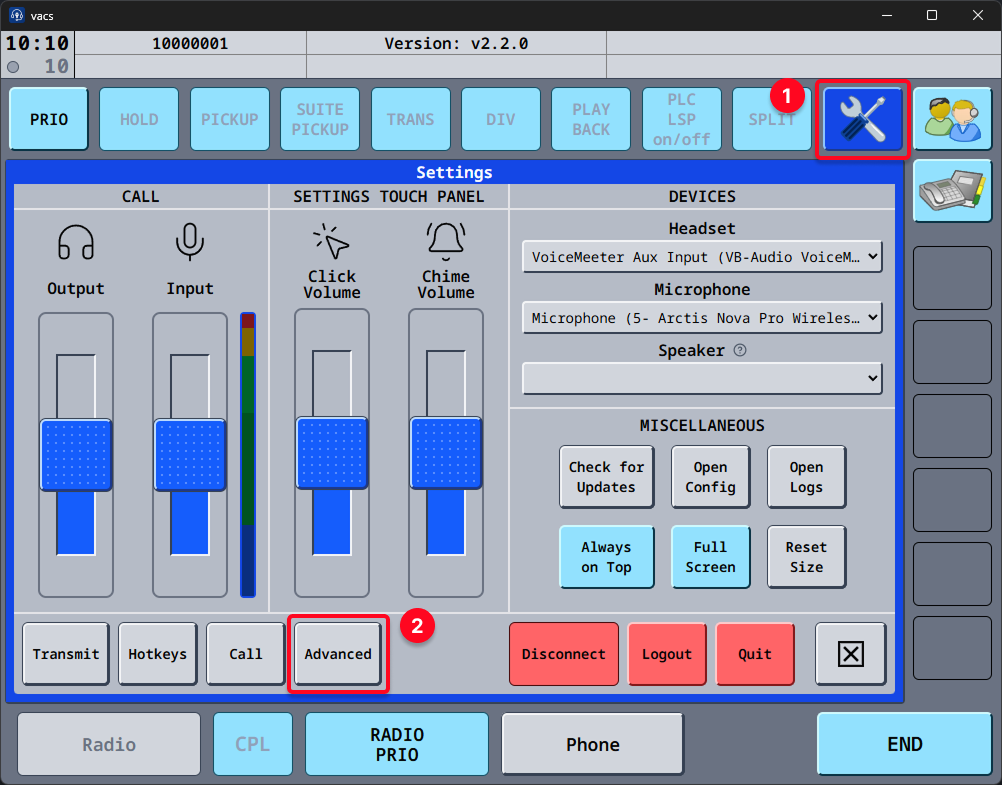
The Advanced Settings Menu can be accessed from the settings page, by clicking the Advanced button.
Remote Control
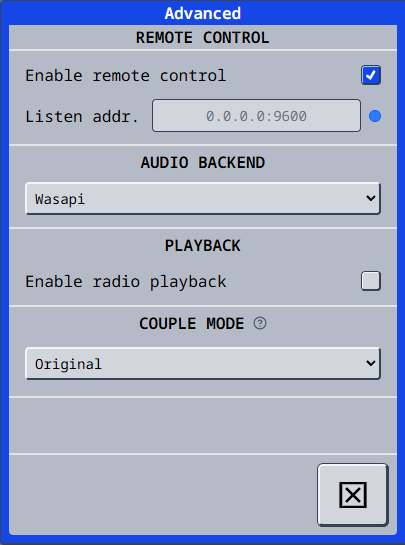
The Remote Control section allows you to enable and configure the remote control feature, which provides the ability to control vacs remotely via a web interface.
Enable Remote Control
When checked, the remote control feature is activated and vacs starts listening for incoming connections on the address and port configured below.
vacs does not change your firewall. If other devices cannot connect, allow the port on the machine running vacs, see Troubleshooting.
Listen address
The IP and port vacs should listen on for incoming remote control connections. By default, vacs listens on all available network interfaces on port 9600 (0.0.0.0:9600).
For sake of convenience, you can also just specify the IP (without port) and vacs will use the default port 9600.
See Changing the listen address and port for more details and examples.
Audio backend
The Audio Backend section allows you to configure the audio backend (by default WASAPI for Windows, ALSA for Linux and CoreAudio for macOS) used by vacs. This setting was moved from the main settings page into the advanced settings menu.
Playback
Enable radio playback
When checked, vacs will record incoming radio transmissions - via TrackAudio or Audio for VATSIM, depending on your Radio Integration - and make them available for playback. Disabling this setting stops all future recordings, stops a replay that is playing, and deletes all existing (non-exported) recordings.
Couple Mode
Controls how the CPL button behaves when coupling frequencies.
- Original — Click CPL to enter Couple Mode, then click an individual frequency to couple it. Click CPL again to exit Couple Mode. Double-clicking CPL while outside Couple Mode couples all TX-enabled frequencies at once.
- Fast — Click FAST CPL to immediately couple all TX-enabled frequencies at once, without entering Couple Mode. The button label changes from CPL to FAST CPL to reflect this behavior.