Updating
vacs includes a built-in update mechanism that allows you to easily install new versions as they become available.
Update Notification
When a new version of vacs is available, a notification will appear in the top bar of the application.
The update indicator appears in the top navigation bar, directly below the current version number.
This informs you that a newer version is ready to be installed.
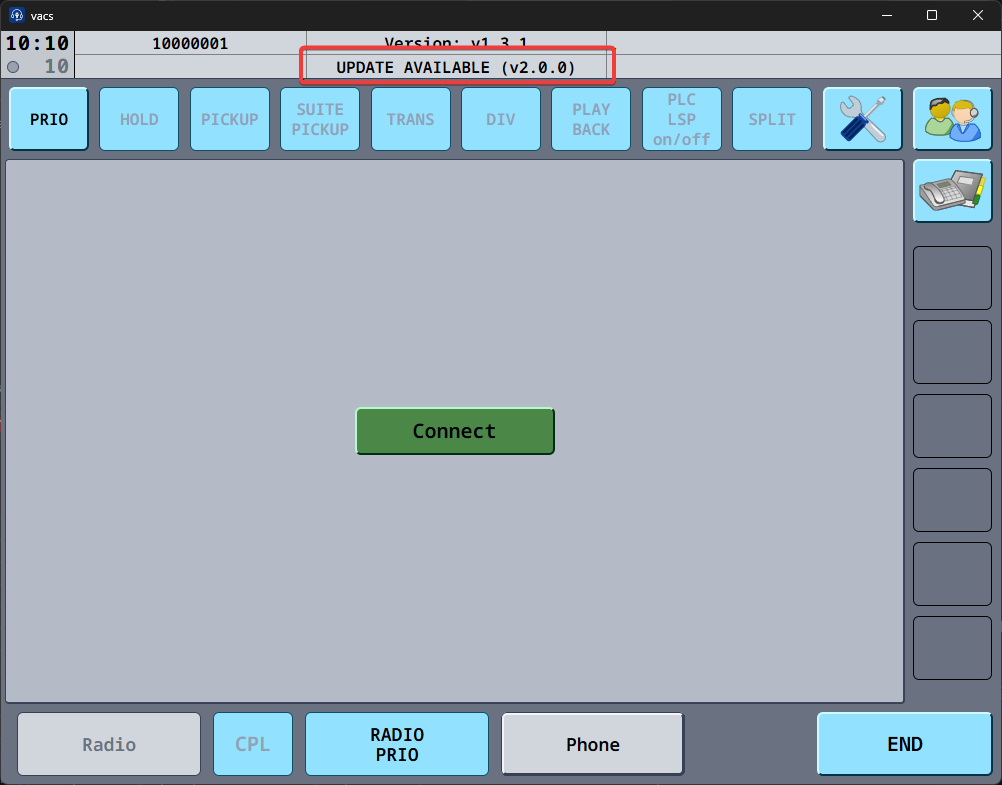
Clicking the update notification will take you to the Settings page, where you can start the update process. It will also automatically open the changelog for the new version so you can see what's changed and decide whether you want to update right away or continue using the current version.
Clicking the current version will take you to the release notes of the currently installed version, letting you easily review the changes introduced since your last update.
Applying an Update
To update vacs:
- Open the Settings by clicking the settings button (1) in the top right corner or clicking the update notification.
- Locate the Update & Restart Button (2), which takes the place of Check for Updates while an update is available, and click it.
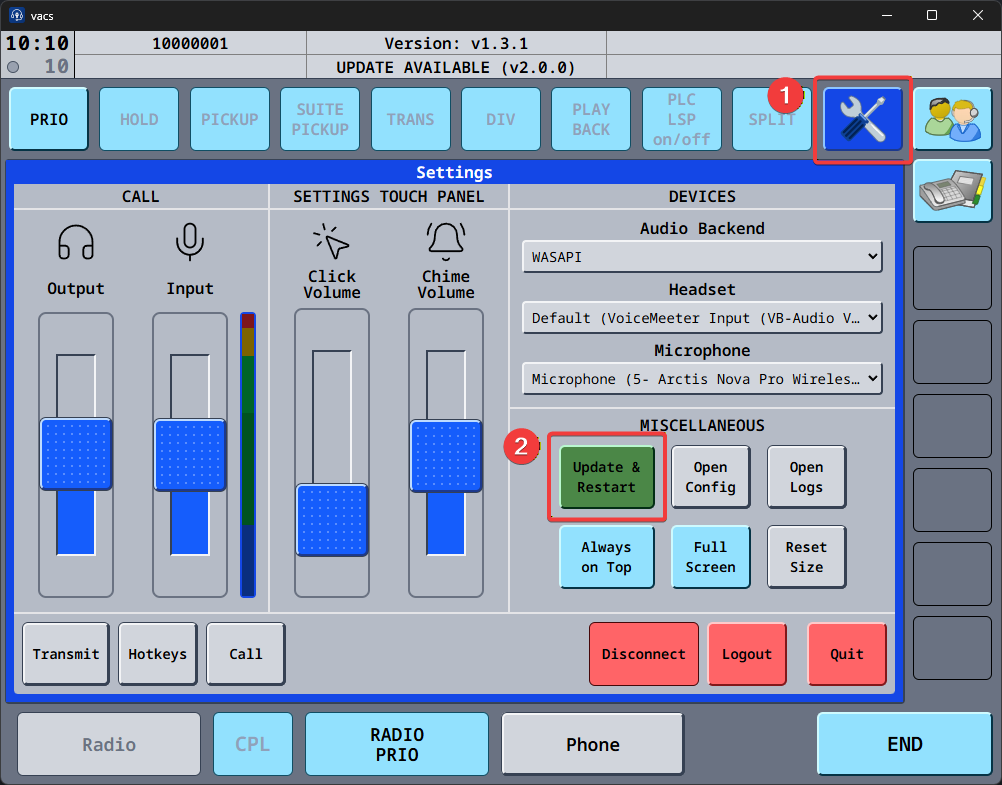
vacs will then automatically:
- download the latest version,
- install the update,
- restart and launch the updated application.
It is always recommended to keep vacs up to date to ensure:
- bug fixes,
- compatibility with other systems,
- access to new features.
Mandatory Updates
Some releases change how vacs talks to our server, and older versions can no longer connect once they are out. When such an update is available, a Mandatory update dialog covers the window right after vacs starts, in addition to the usual notification.
The dialog names the version you need, for example "In order to continue using VACS, you will need to update to version v3.0.0.", and offers two buttons:
- Update downloads and installs the new version. A progress bar shows the download, and vacs restarts on its own once the update is installed.
- Quit closes vacs without updating.
vacs cannot be used until you update. If the update fails, the dialog comes back so you can try again.
vacs versions 1.x and 2.x are no longer supported and can no longer connect to our server. Update to the latest available version to continue using vacs.
v2.0.0 changed the underlying protocol and call routing, and v3.0.0 changed how vacs talks to our server again to add conference calls. You can find more details about these changes in the What's New page, including Migrating from v2.x to v3.0.0.