Telephone Page
The Telephone Page provides additional tools for managing telephone communication within vacs.
Unlinke the Direct Access Interfaces (such as the GEO Page or Tabbed Layout), the Telephone Page offers a directory, call history, dial pad and ignore list for more flexible call management. The directory, for example, allows you to also call stations not configured on your Direct Access Interface.
This Page allows controllers to:
- browse all available stations
- dial numbers (= VATSIM CIDs) manually
- review recent calls
- block unwanted callers
The Telephone Page is opened using the telephone icon button on the right side of the Interface.
Opening the Telephone Page
To open the Telephone Page:
- Press the telephone icon on the right side of the interface.
- The Telephone interface will appear in the main display area.
- Navigation between different telephone functions is performed using the buttons on the right side of the panel.
Available sections include:
- Dir. - Telephone Directory
- Call List - Call history
- Dial Pad - Manual dialing interface
- Ign. - Ignore list management
The END button can always be used to close the telephone interface and return to the previous page.
Telephone Directory
The Telephone Directory contains a list of available stations that can be called.
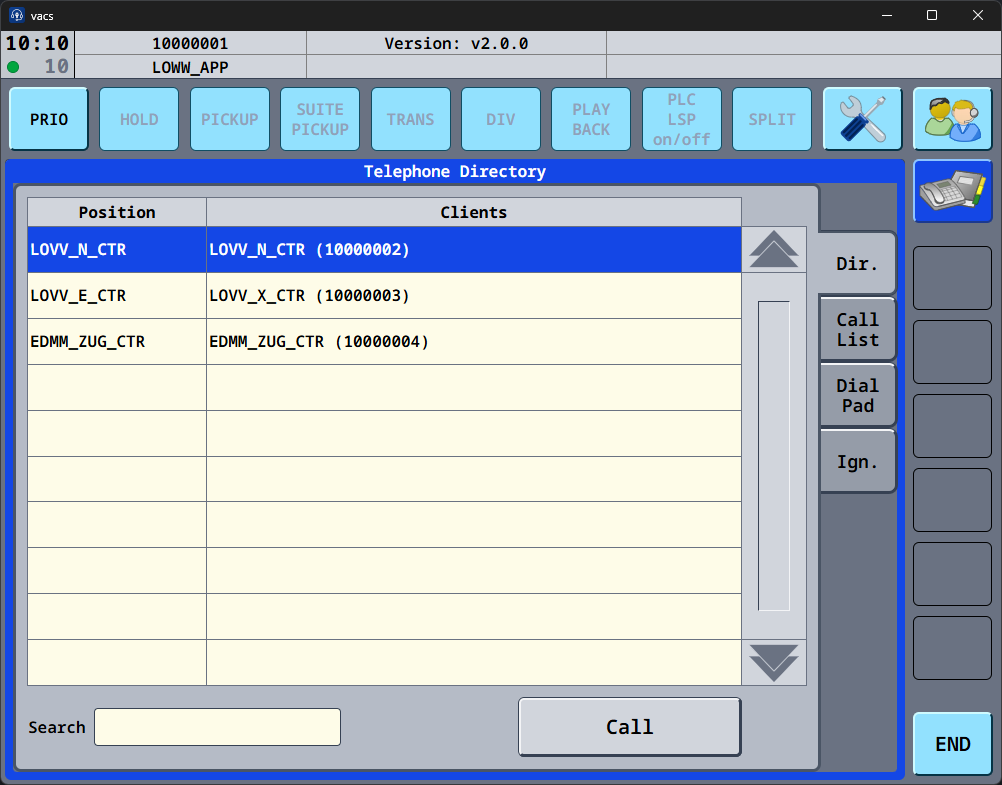
Each entry includes:
- Position – the controller position
- Client – the connected station and its telephone number (= VATSIM CID)
Controllers can:
- search for entries using the Search field
- select a station from the list
- initiate a call using the Call button
The directory is populated automatically based on connected clients and sorted by position ID.
Call List
The Call List displays the recent call history.
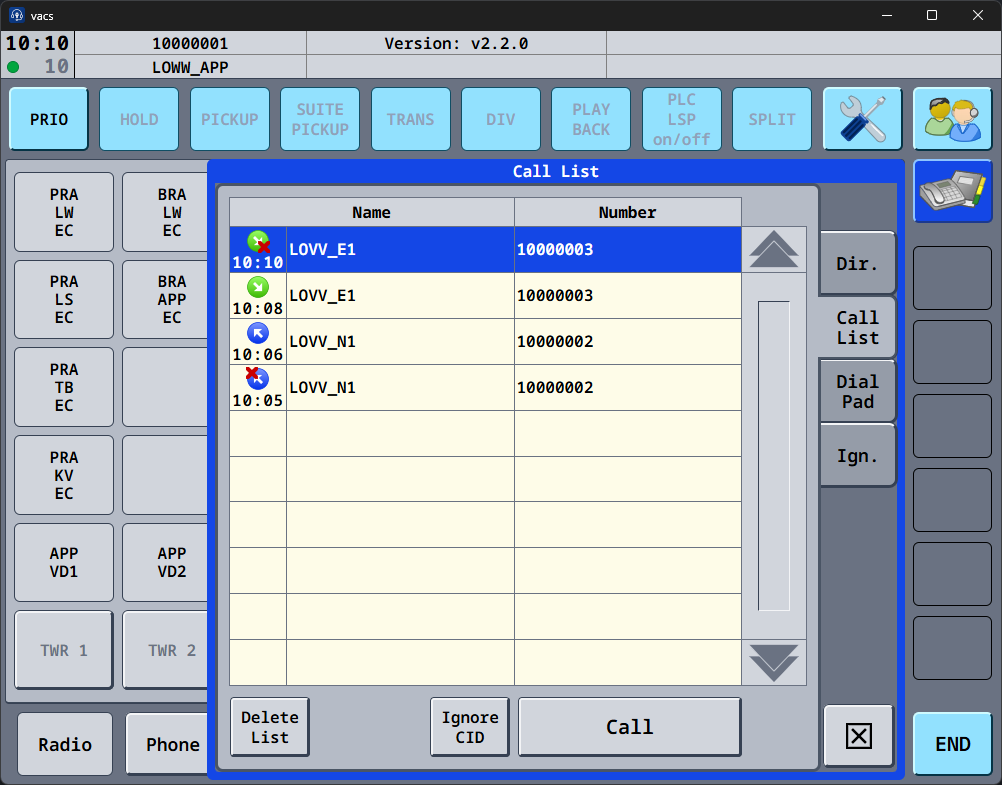
Each entry contains:
- Call direction and state (green = incoming; blue = outgoing)
- If the state contains a red x, the call did not establish
- Time of the call
- Name of the station
- Telephone number(= VATSIM CID)
Controllers can perform several actions:
| Button | Function |
|---|---|
| Call | Call the selected entry |
| Delete List | Clear the entire call list |
| Ignore CID | Add the selected caller ID to the ignore list |
Dial Pad
The Dial Pad alows manual dialing of telephone numbers (= VATSIM CID).
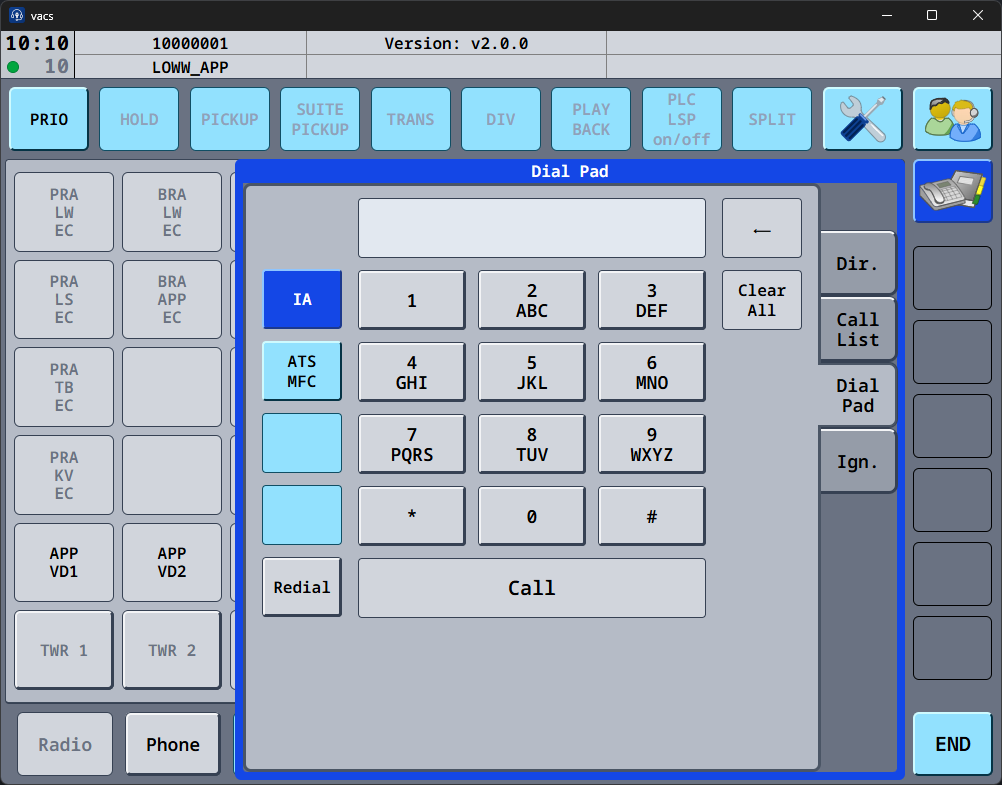
It includes:
- a numeric keypad
- a display field for the entered number
- quick-access buttons for predefined numbers
Available functions include:
| Button | Function |
|---|---|
| Call | Initiates a call to the entered number |
| Clear All | Deletes the entire entered number |
| ← | Deletes the last entered digit |
| Redial | Calls the previously dialed number |
The other available buttons (IA and ATS MFC) are currently not simulated.
Ignore List
The Ignore List contains telephone numbers (= VATSIM CIDs) that should not trigger incoming calls.
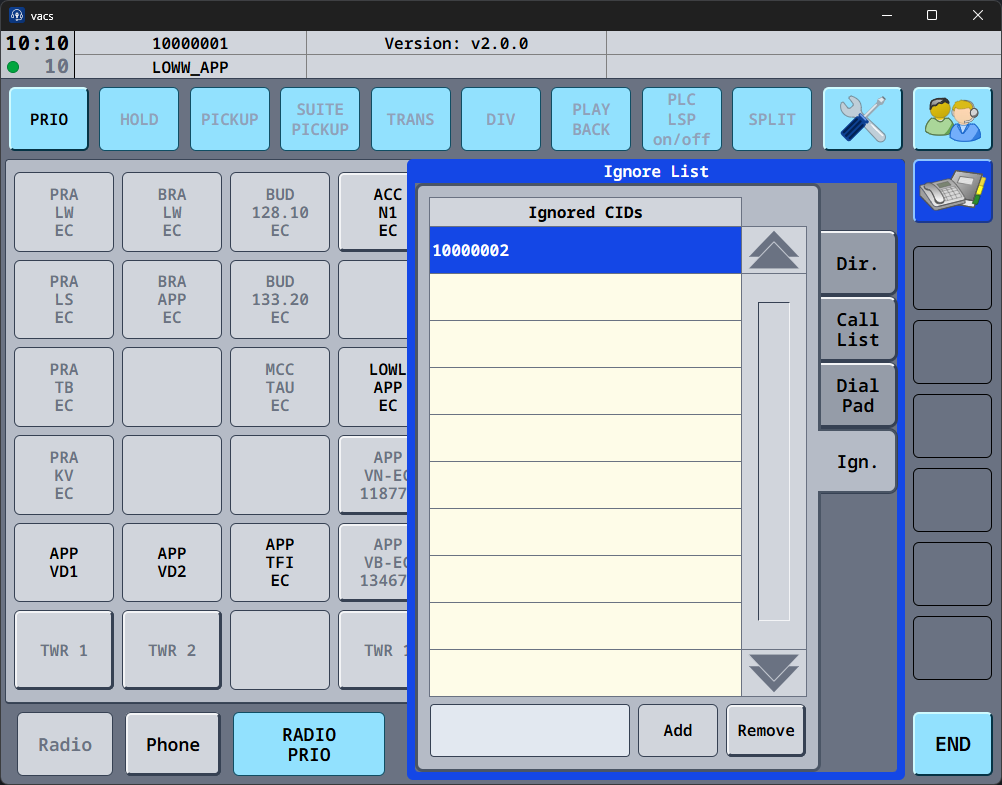
When a caller ID is added to the ignore list:
- incoming calls from that number are ignored
- the call will not appear in the call display
Controllers can manage the list using:
| Button | Function |
|---|---|
| Add | Adds a new caller ID to the ignore list |
| Remove | Removes the selected caller ID |
Caller IDs can also be added directly from the Call List using the Ignore CID button.
Typical Useage
The telephone page is typically used for:
- calling stations not available via Direct Access keys
- reviewing recent calls
- blocking unwanted or irrelevant calls
The Telephone Page therefore complements the Direct Access interfaces by providing more flexible telephone control tools.