Updating
vacs includes a built-in update mechanism that allows you to easily install new versions as they become available.
Update Notification
When a new version of vacs is available, a notification will appear in the top bar of the application.
The update indicator appears in the top navigation bar, directly below the current version number.
This informs you that a newer version is ready to be installed.
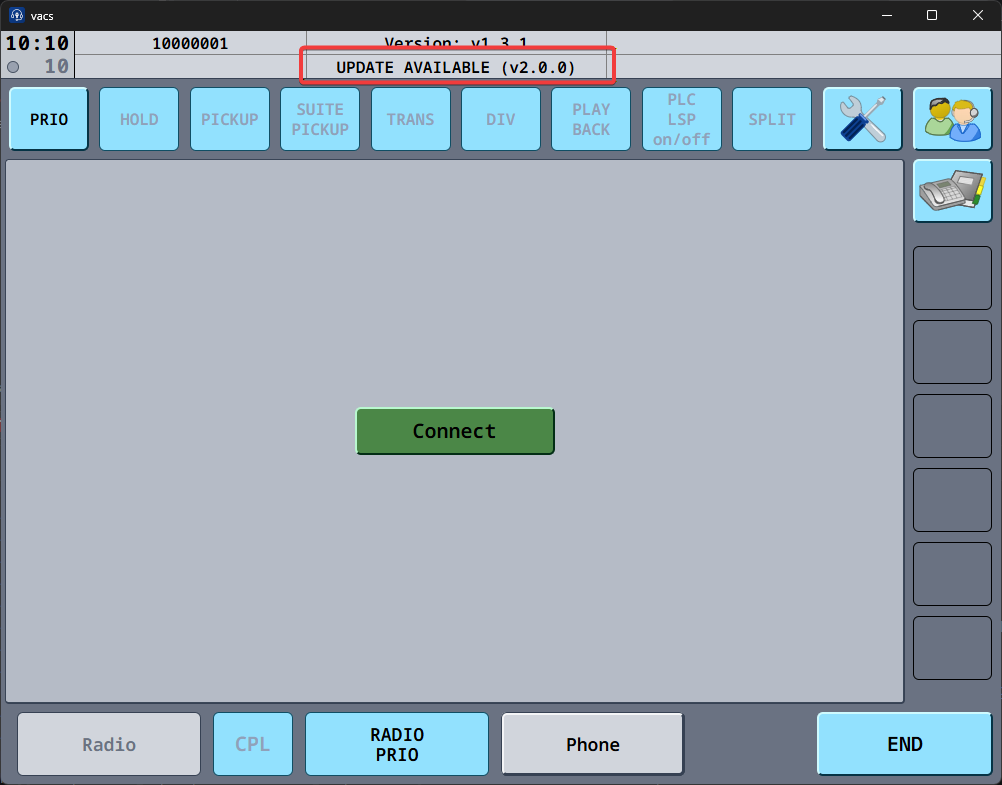
Clicking the update notification will take you to the Settings page, where you can start the update process. It will also automatically open the changelog for the new version so you can see what's changed and decide whether you want to update right away or continue using the current version.
Clicking the current version will take you to the release notes of the currently installed version, letting you easily review the changes introduced since your last update.
Applying an Update
To update vacs:
- Open the Settings by clicking the relevant button in the top right corner or clicking the update notification.
- Locate the Update & Restart Button and click it.
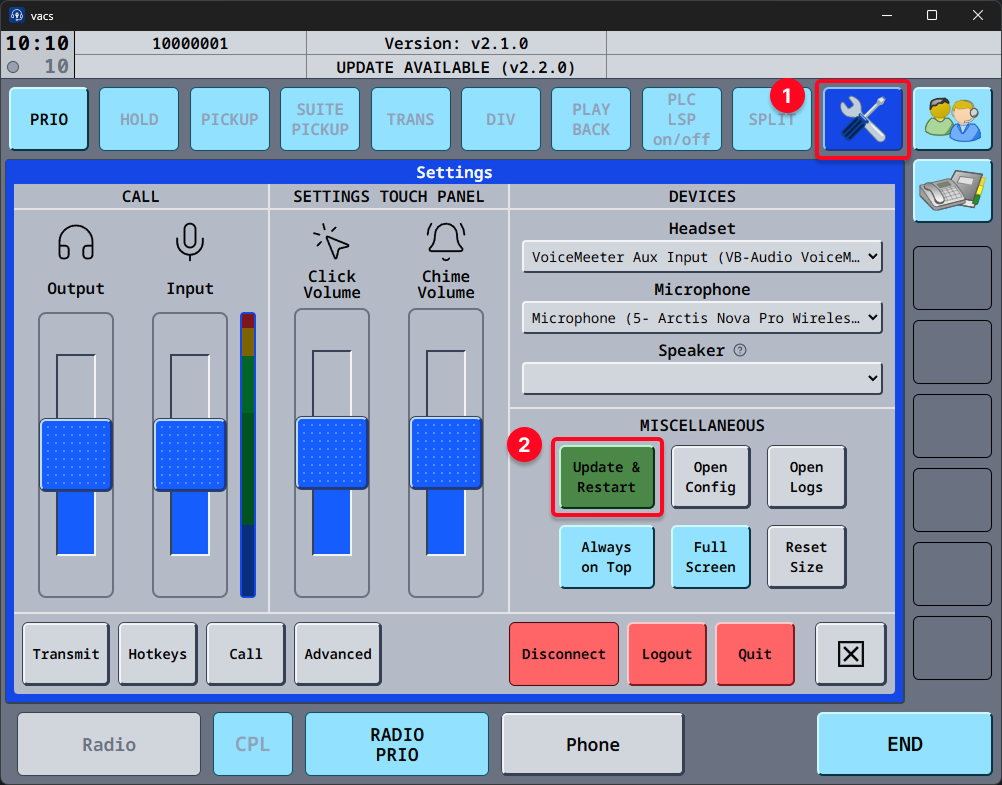
vacs will then automatically:
- download the latest version,
- install the update,
- restart and launch the updated application.
It is always recommended to keep vacs up to date to ensure:
- bug fixes,
- compatibility with other systems,
- access to new features.
vacs version 1.x is no longer supported.
Users running v1 will have to update to the latest available version before continuing to use vacs. This is due to significant changes in the underlying protocol and call routing made in v2.0.0. You can find more details about these changes in the What's New page.